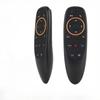
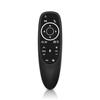
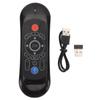
Voice Flying Mouse Gyroscope Wireless Infrared Backlight TV Set Top Box Remote Control About this product
The connection is very ! Simply connect the 2.4GHz USB receiver to an idle USB port, install 2 AAA batteries in the remote control, press the button, and the remote control will work!
To to mouse mode, you need to press the button the remote control (top right corner).
You can set your convenient mouse cursor movement speed in the settings.
The "POWER" power button allows you to copy (record, learn) infrared signals from the TV control panel - turn the TV and control the set-top box through a remote control!
Suitable for almost all Android smart TV boxes! Suitable for X96 Max, X96 Max Plus, X96 , A95X , Tox1, Vontar X3, etc!
It is also suitable for computers, laptops, tablets, smart , and other devices.
Compatible with Android, , Linux, OS devices
For voice input, the Now or Assistant application must be installed, and other necessary applications and modules will be added if necessary. During the installation process of applications, the system grants permission to use the microphone. If this situation has not occurred, please search for the microphone item in the settings of the set-top box (usually in the "Applications" ). If the microphone does not work in certain applications, you must the application permission to use it separately. Batteries must be purchased separately.
Includes 1PC remote control item
Label: Yes
Material: plastics


 Zwrot w przypadku braku dostawy